

Cards
Apple Pay
What is Apple Pay
Secure. Simple. Everywhere.
Apple Pay is a fast, simple and secure way to pay with your iPhone, Apple Watch, iPad, Mac or Apple Vision Pro. Add your Visa and Mastercard cards issued by Stopanska Banka AD - Skopje to Apple Wallet and pay in stores, in apps and online.
Your data. Protected.
Your card number is never shared with merchants. Instead, Apple Pay uses a unique device-specific number and a one-time code for every transaction.
Double-click. Authenticate. Done.
Confirm your payment with Face ID, Touch ID or your passcode and complete your purchase in seconds.
Always with you.
Your Visa and Mastercard cards issued by Stopanska Banka AD - Skopje are securely stored in Apple Wallet, ready whenever you need them.
Download the Apple Wallet app from App Store and digitalize your payment cards from Stopanska bank AD - Skopje. The opportunity to use a card with Apple Wallet is in accordance with the limits of the debit or credit card.

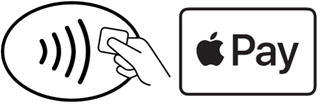
The symbol below marks locations where Apple Pay is accepted:
Frequently Asked Questions
Is Apple Pay free?
Yes, Apple Pay is a completely free platform. There is no additional cost to the user for using the Apple Wallet application.
Adding a card to a digital wallet (Apple Wallet) is only possible by using enhanced authentication (Strong Customer Authentication) through the Stopanska Banka m-banking application. The fee for using the m-banking application with this advanced functionality is in accordance with the SB Tariff.
Where can I pay with Apple Pay?
With Apple Pay, you can pay at all points of sale that have a POS terminal with a contactless reader, as well as on websites and applications that accept Apple Pay.
Do I need to enter a PIN when paying with Apple Pay?
When paying with Apple Pay at a POS terminal, there is no need to enter a PIN because the terminal uses your Face ID, Touch ID, or passcode as authentication, regardless of the amount.
Can I withdraw cash at an ATM with Apple Pay?
Digital wallets such as Apple Wallet are primarily intended for contactless payments in the retail network, through mobile applications and online. Although cash withdrawals with Stopanska Banka's Apple Pay cards are not functionally prohibited, the Bank does not recommend it because this functionality does not provide an appropriate user experience when withdrawing cash or the availability of all ATMs and ATM services. In addition, the companies themselves state that their digital wallets are designed primarily for contactless and online payments, and not for withdrawing cash from ATM devices (“Designed for contactless payments in stores, apps, and online, tap to pay ≠ tap to withdraw”). For secure and smooth cash withdrawals from ATMs, we recommend using a physical debit or credit card issued by Stopanska Banka.
Can I make an ATM cash deposit (Cash-IN) using Apple Pay?
The functionality for cash deposits (Cash-IN) via ATM with a digitized card is currently not enabled. Digital wallets such as Apple Wallet are primarily intended for contactless payments in retail networks, mobile applications and online transactions, while for deposits and cash withdrawals from ATMs we recommend using a physical debit or credit card issued by Stopanska Banka
Is there a limit for payments via Apple Pay?
The payment limit for a digitized card in the Wallet app corresponds to the limit on your physical card. You can change the limits for each of your Stopanska Banka cards through the SB mobile application, through the contact center or at the nearest branch.
Will I be able to see transactions on my phone?
Yes, your latest transactions will be displayed in your Apple Wallet. You can also view them via the mobile app or via SB Internet Banking.
I made a transaction in a store and the terminal says "Declined," but a "Done" message appears on my phone. Has the transaction been completed?
How many cards can I add to one device?
For iOS 17 users and above, there is no limit to the number of cards you can add to Apple Wallet on a single device.
Does deleting a card from an iPhone affect the card on an Apple Watch if they are connected to the same mobile phone?
No, they are treated as two separate “tokens”, so there will be no effect on the card digitized on the Apple Watch.
Does unpairing Apple Watch from iPhone remove cards from Apple Watch?
Yes, unpairing your Apple Watch will automatically remove cards that have been added to it.
What if I lose my phone?
If you lose the phone on which you are using Apple Pay, you can immediately log in with your Apple ID from another device to iCloud.com, select the lost device and activate the “Lost Mode” option to lock the phone, or erase the device (Erase iPhone) if you do not believe you will find it. Or you can block the cards through the contact center or by visiting one of the Bank's branches.
Can I recover deleted cards if I find my lost device?
No, you can't restore deleted cards. Only suspended cards can be reactivated. Once the card is deleted, you need to add it back to Apple Wallet.
I received an error message “Card not added – Contact issuer” while adding my card. What does this mean?
The “Card not added - Contact issuer” error on Apple Pay means that your bank is refusing to digitally add your card to your iPhone, possibly due to a security check, an inactive card, or outdated personal information. Check the status of your card through the SB mobile app and make sure your personal information is updated through it, then try adding the card again.
What is the difference between the Wallet app and Apple Pay?
Apple Pay is a secure way to make payments in stores, online, and through apps. The Wallet app is where you store your debit and credit cards that you want to use to pay with Apple Pay.
Can I add an additional SB payment card to Apple Wallet?
No, it is not possible to add additional payment cards to Apple Wallet at this time. Digitization is only possible for primary cards with approval from the cardholder.
Can I add another person's payment card to Apple Wallet on my device?
Stopanska Banka does not recommend digitizing your payment card on a device that is not yours or that is not fully under your control. For security reasons, Stopanska Banka's M‑banking application can only be fully active and functional on one device, and it is recommended that payment card digitization be performed exclusively on that device.
What does setting a default card in Apple Wallet mean?
The default payment card in a digital wallet is the one that is automatically used when paying with Apple Pay. It will be applied as the primary choice for every payment, unless the user selects a different card. If you want to pay with a different card that has been added to the digital wallet, you need to manually select it during the payment process. Changing the primary card can be done at any time, directly through the Apple Wallet application, without the need for additional requests or intervention from the bank.
Set up Apple Pay
What do I need to use Apple Pay?
To use Apple Pay and digitize your Visa or Mastercard payment cards, you must have downloaded the free Apple Wallet application, and due to enhanced authentication, you must be an active user of the Stopanska Bank mobile application.
Reading this on an eligible Apple device?
Set up a card now

How to add a card to Apple Wallet via the Stopanska Bank mobile app:
Log in to the Stopanska Bank mobile application,
Enter the “My Products” menu,
Select the payment card you want to add to Apple Wallet,
Press the “Apple Pay” button and you will be asked to enter your payment code/authentication or biometrics,
Click on the “Add to Apple Wallet” button, after which you will be redirected to the Apple Wallet application,
Accept the “General Terms and Conditions for the Use of SB Cards in Digital Form”
Your payment card has been successfully added to Apple Wallet,
You will receive a notification that the card has been successfully activated in Apple Wallet
How to add a card directly through the Apple Wallet app:
Open the “Wallet” application,
Click on the “+” icon,
Click on Debit or Credit Card
Press “Continue”
Tap or hold the card close to your iPhone
To manually add your card, select “Enter card details manually” and follow the on-screen instructions,
Accept the "General Terms and Conditions for the Use of SB Cards in Digital Form",
To verify the card, select “Open m-banking by STB” and press “Next”,
You will be redirected to the bank's mobile application to log in,
Select the option “Activate in Apple Wallet”,
You will be asked to enter your payment/authentication code or biometrics,
Your payment card has been successfully added to Apple Wallet,
You will receive a notification that the card has been successfully activated in Apple Wallet.
How to add to your Apple Watch via the Stopanska Bank mobile app:
Log in to the Stopanska Bank mobile application,
Enter the “My Products” menu,
Select the payment card you want to add to Apple Wallet,
Tap the “Apple Pay” button and you will be asked to enter your payment code/authentication or biometrics,
Click on the “Add to Apple Wallet” button, after which you will be redirected to the Apple Wallet app and select where you would like to add the card: iPhone or Watch (if the card is already added to your iPhone, Watch is automatically selected)
Accept the "General Terms and Conditions for the Use of SB Cards in Digital Form",
Your payment card has been successfully added to your Apple Watch,
You will receive a notification that the card has been successfully activated in Apple Wallet.
How to add a card directly through the Apple Watch app on your iPhone:
Open the “Watch” app.
Select “Wallet & Apple Pay”
Select “Add card” and click on Debit or Credit card.
Press “Continue”
Tap or hold the card close to your iPhone,
To manually add your card, select “Enter card details manually” and follow the on-screen instructions,
Accept the "General Terms and Conditions for the Use of SB Cards in Digital Form",
To verify the card, select “Open m-banking by STB” and press “Next”,
You will be redirected to the bank's mobile application to log in.
Select the “Activate on Apple Watch” option.
You will be asked to enter your payment/authentication code or biometrics,
Your payment card has been successfully added to Apple Wallet.
You will receive a notification that your card has been successfully activated in Apple Pay.
How to add a card to your Mac, iPad, or Apple Vision Pro:
Open Wallet & Apple Pay settings on your device (in "System Settings"),
Select Add card,
Follow the steps on your screen,
Verify your card through the Bank.
Frequently Asked Questions
Is Apple Pay free?
Yes, Apple Pay is a completely free platform. There is no additional cost to the user for using the Apple Wallet application.
Adding a card to a digital wallet (Apple Wallet) is only possible by using enhanced authentication (Strong Customer Authentication) through the Stopanska Banka m-banking application. The fee for using the m-banking application with this advanced functionality is in accordance with the SB Tariff.
Where can I pay with Apple Pay?
With Apple Pay, you can pay at all points of sale that have a POS terminal with a contactless reader, as well as on websites and applications that accept Apple Pay.
Do I need to enter a PIN when paying with Apple Pay?
When paying with Apple Pay at a POS terminal, there is no need to enter a PIN because the terminal uses your Face ID, Touch ID, or passcode as authentication, regardless of the amount.
Can I withdraw cash at an ATM with Apple Pay?
Digital wallets such as Apple Wallet are primarily intended for contactless payments in the retail network, through mobile applications and online. Although cash withdrawals with Stopanska Banka's Apple Pay cards are not functionally prohibited, the Bank does not recommend it because this functionality does not provide an appropriate user experience when withdrawing cash or the availability of all ATMs and ATM services. In addition, the companies themselves state that their digital wallets are designed primarily for contactless and online payments, and not for withdrawing cash from ATM devices (“Designed for contactless payments in stores, apps, and online, tap to pay ≠ tap to withdraw”). For secure and smooth cash withdrawals from ATMs, we recommend using a physical debit or credit card issued by Stopanska Banka.
Can I make an ATM cash deposit (Cash-IN) using Apple Pay?
The functionality for cash deposits (Cash-IN) via ATM with a digitized card is currently not enabled. Digital wallets such as Apple Wallet are primarily intended for contactless payments in retail networks, mobile applications and online transactions, while for deposits and cash withdrawals from ATMs we recommend using a physical debit or credit card issued by Stopanska Banka
Is there a limit for payments via Apple Pay?
The payment limit for a digitized card in the Wallet app corresponds to the limit on your physical card. You can change the limits for each of your Stopanska Banka cards through the SB mobile application, through the contact center or at the nearest branch.
Will I be able to see transactions on my phone?
Yes, your latest transactions will be displayed in your Apple Wallet. You can also view them via the mobile app or via SB Internet Banking.
I made a transaction in a store and the terminal says "Declined," but a "Done" message appears on my phone. Has the transaction been completed?
How many cards can I add to one device?
For iOS 17 users and above, there is no limit to the number of cards you can add to Apple Wallet on a single device.
Does deleting a card from an iPhone affect the card on an Apple Watch if they are connected to the same mobile phone?
No, they are treated as two separate “tokens”, so there will be no effect on the card digitized on the Apple Watch.
Does unpairing Apple Watch from iPhone remove cards from Apple Watch?
Yes, unpairing your Apple Watch will automatically remove cards that have been added to it.
What if I lose my phone?
If you lose the phone on which you are using Apple Pay, you can immediately log in with your Apple ID from another device to iCloud.com, select the lost device and activate the “Lost Mode” option to lock the phone, or erase the device (Erase iPhone) if you do not believe you will find it. Or you can block the cards through the contact center or by visiting one of the Bank's branches.
Can I recover deleted cards if I find my lost device?
No, you can't restore deleted cards. Only suspended cards can be reactivated. Once the card is deleted, you need to add it back to Apple Wallet.
I received an error message “Card not added – Contact issuer” while adding my card. What does this mean?
The “Card not added - Contact issuer” error on Apple Pay means that your bank is refusing to digitally add your card to your iPhone, possibly due to a security check, an inactive card, or outdated personal information. Check the status of your card through the SB mobile app and make sure your personal information is updated through it, then try adding the card again.
What is the difference between the Wallet app and Apple Pay?
Apple Pay is a secure way to make payments in stores, online, and through apps. The Wallet app is where you store your debit and credit cards that you want to use to pay with Apple Pay.
Can I add an additional SB payment card to Apple Wallet?
No, it is not possible to add additional payment cards to Apple Wallet at this time. Digitization is only possible for primary cards with approval from the cardholder.
Can I add another person's payment card to Apple Wallet on my device?
Stopanska Banka does not recommend digitizing your payment card on a device that is not yours or that is not fully under your control. For security reasons, Stopanska Banka's M‑banking application can only be fully active and functional on one device, and it is recommended that payment card digitization be performed exclusively on that device.
What does setting a default card in Apple Wallet mean?
The default payment card in a digital wallet is the one that is automatically used when paying with Apple Pay. It will be applied as the primary choice for every payment, unless the user selects a different card. If you want to pay with a different card that has been added to the digital wallet, you need to manually select it during the payment process. Changing the primary card can be done at any time, directly through the Apple Wallet application, without the need for additional requests or intervention from the bank.
How to pay using Apple Pay
The procedure to complete an Apple Pay payment is very simple.
Pay with your iPhone:
To use your default card:
If your iPhone has Face ID, double-click the side button. If prompted, authenticate with Face ID or enter your passcode to open Apple Wallet.
If your iPhone has Touch ID, double-click the Home button.
To use a different card, tap your default card to see your other cards. Tap a new card and authenticate.
Hold the top of your iPhone near the contactless reader until Done and a checkmark appears on the display.
Pay with your Apple Watch:
Double-click the side button.
Your default card opens automatically. Scroll down to choose another card.
Hold the display of your Apple Watch near the contactless reader until you feel a gentle tap and hear a beep.
How to use Apple Pay online or in apps:
You can use Apple Pay to pay online or in apps when you see Apple Pay as a payment option.
Tap the Apple Pay button or choose Apple Pay as your payment method.
To use a payment method different from your default card, tap Other Cards or Change Payment Method.
If necessary, enter your billing, shipping, and contact information.
Confirm the payment.
When your payment is successful, you'll see Done and a checkmark on the screen
How to use Apple Pay by scanning a code
You can use Apple Pay with third-party browsers and more on Mac, PC, and other devices by scanning a code with your iPhone or iPad
Tap the Apple Pay button or choose Apple Pay as your payment method. A code will be presented to you on the screen.
Use your iPhone or iPad camera to scan the code.
If necessary, enter your billing, shipping, and contact information.
Confirm the payment.
Frequently Asked Questions
Is Apple Pay free?
Yes, Apple Pay is a completely free platform. There is no additional cost to the user for using the Apple Wallet application.
Adding a card to a digital wallet (Apple Wallet) is only possible by using enhanced authentication (Strong Customer Authentication) through the Stopanska Banka m-banking application. The fee for using the m-banking application with this advanced functionality is in accordance with the SB Tariff.
Where can I pay with Apple Pay?
With Apple Pay, you can pay at all points of sale that have a POS terminal with a contactless reader, as well as on websites and applications that accept Apple Pay.
Do I need to enter a PIN when paying with Apple Pay?
When paying with Apple Pay at a POS terminal, there is no need to enter a PIN because the terminal uses your Face ID, Touch ID, or passcode as authentication, regardless of the amount.
Can I withdraw cash at an ATM with Apple Pay?
Digital wallets such as Apple Wallet are primarily intended for contactless payments in the retail network, through mobile applications and online. Although cash withdrawals with Stopanska Banka's Apple Pay cards are not functionally prohibited, the Bank does not recommend it because this functionality does not provide an appropriate user experience when withdrawing cash or the availability of all ATMs and ATM services. In addition, the companies themselves state that their digital wallets are designed primarily for contactless and online payments, and not for withdrawing cash from ATM devices (“Designed for contactless payments in stores, apps, and online, tap to pay ≠ tap to withdraw”). For secure and smooth cash withdrawals from ATMs, we recommend using a physical debit or credit card issued by Stopanska Banka.
Can I make an ATM cash deposit (Cash-IN) using Apple Pay?
The functionality for cash deposits (Cash-IN) via ATM with a digitized card is currently not enabled. Digital wallets such as Apple Wallet are primarily intended for contactless payments in retail networks, mobile applications and online transactions, while for deposits and cash withdrawals from ATMs we recommend using a physical debit or credit card issued by Stopanska Banka
Is there a limit for payments via Apple Pay?
The payment limit for a digitized card in the Wallet app corresponds to the limit on your physical card. You can change the limits for each of your Stopanska Banka cards through the SB mobile application, through the contact center or at the nearest branch.
Will I be able to see transactions on my phone?
Yes, your latest transactions will be displayed in your Apple Wallet. You can also view them via the mobile app or via SB Internet Banking.
I made a transaction in a store and the terminal says "Declined," but a "Done" message appears on my phone. Has the transaction been completed?
How many cards can I add to one device?
For iOS 17 users and above, there is no limit to the number of cards you can add to Apple Wallet on a single device.
Does deleting a card from an iPhone affect the card on an Apple Watch if they are connected to the same mobile phone?
No, they are treated as two separate “tokens”, so there will be no effect on the card digitized on the Apple Watch.
Does unpairing Apple Watch from iPhone remove cards from Apple Watch?
Yes, unpairing your Apple Watch will automatically remove cards that have been added to it.
What if I lose my phone?
If you lose the phone on which you are using Apple Pay, you can immediately log in with your Apple ID from another device to iCloud.com, select the lost device and activate the “Lost Mode” option to lock the phone, or erase the device (Erase iPhone) if you do not believe you will find it. Or you can block the cards through the contact center or by visiting one of the Bank's branches.
Can I recover deleted cards if I find my lost device?
No, you can't restore deleted cards. Only suspended cards can be reactivated. Once the card is deleted, you need to add it back to Apple Wallet.
I received an error message “Card not added – Contact issuer” while adding my card. What does this mean?
The “Card not added - Contact issuer” error on Apple Pay means that your bank is refusing to digitally add your card to your iPhone, possibly due to a security check, an inactive card, or outdated personal information. Check the status of your card through the SB mobile app and make sure your personal information is updated through it, then try adding the card again.
What is the difference between the Wallet app and Apple Pay?
Apple Pay is a secure way to make payments in stores, online, and through apps. The Wallet app is where you store your debit and credit cards that you want to use to pay with Apple Pay.
Can I add an additional SB payment card to Apple Wallet?
No, it is not possible to add additional payment cards to Apple Wallet at this time. Digitization is only possible for primary cards with approval from the cardholder.
Can I add another person's payment card to Apple Wallet on my device?
Stopanska Banka does not recommend digitizing your payment card on a device that is not yours or that is not fully under your control. For security reasons, Stopanska Banka's M‑banking application can only be fully active and functional on one device, and it is recommended that payment card digitization be performed exclusively on that device.
What does setting a default card in Apple Wallet mean?
The default payment card in a digital wallet is the one that is automatically used when paying with Apple Pay. It will be applied as the primary choice for every payment, unless the user selects a different card. If you want to pay with a different card that has been added to the digital wallet, you need to manually select it during the payment process. Changing the primary card can be done at any time, directly through the Apple Wallet application, without the need for additional requests or intervention from the bank.